001 — Fintech · Enterprise Software
Simplifying Investment Analysis for Enterprise Consultants
Connect is Eckler’s enterprise investment platform used by actuaries and consultants to model assumptions and manage pension portfolios. I joined as Lead Product Designer to reduce friction without losing depth.
Read Case Study ↓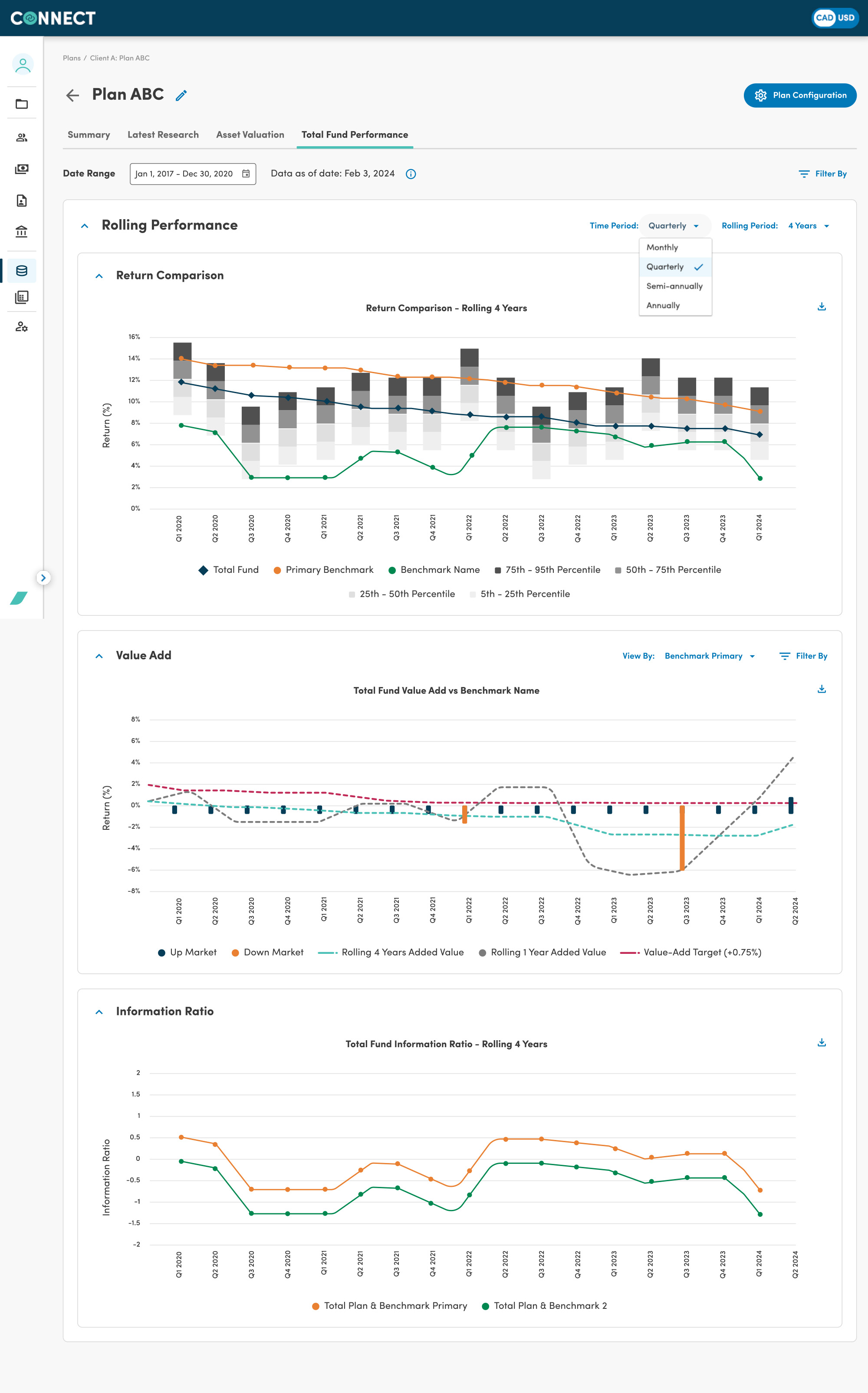
Overview
A platform that speaks the language of pension finance
Connect is an enterprise web application used by consultants and actuarial teams at Eckler to build and manage financial models and assumptions for pension and investment analysis. The platform serves as the backbone for strategic decisions affecting millions in managed assets.
I joined as Lead Product Designer to help the team evolve Connect from a functional but complex tool into a more intuitive, scalable platform, reducing friction for expert users without dumbing down the sophistication they need.
Problem Statement
Complex tools for complex work, but complexity was getting in the way
Actuarial teams were spending significant time navigating the interface rather than focusing on analysis. Key workflows, building assumption sets, running scenarios, and reviewing outputs, required too many steps and too much cognitive load.
The challenge
"How might we reduce the interface overhead so expert users can focus on the financial thinking, not the tool?"
Users were experienced actuaries and investment consultants, not typical software users. The design challenge wasn't simplification for its own sake, but intentional clarity: remove friction where it existed, preserve depth where it was needed.
Research & Insights
Understanding how experts actually work
I conducted contextual interviews and workflow observation sessions with consultants and actuarial analysts to map the real-world usage patterns. Key insights shaped the design direction:
01
Mental model mismatch
Users thought in terms of pension plans and asset classes, but the UI was organised around system objects. Navigation felt backwards.
02
Repetitive configuration
Setting up assumption sets for new clients required repeating steps that could be templated. Teams had built workarounds in spreadsheets.
03
Unclear data provenance
Users weren't always sure which version of an assumption was active, leading to double-checking and reduced confidence in outputs.
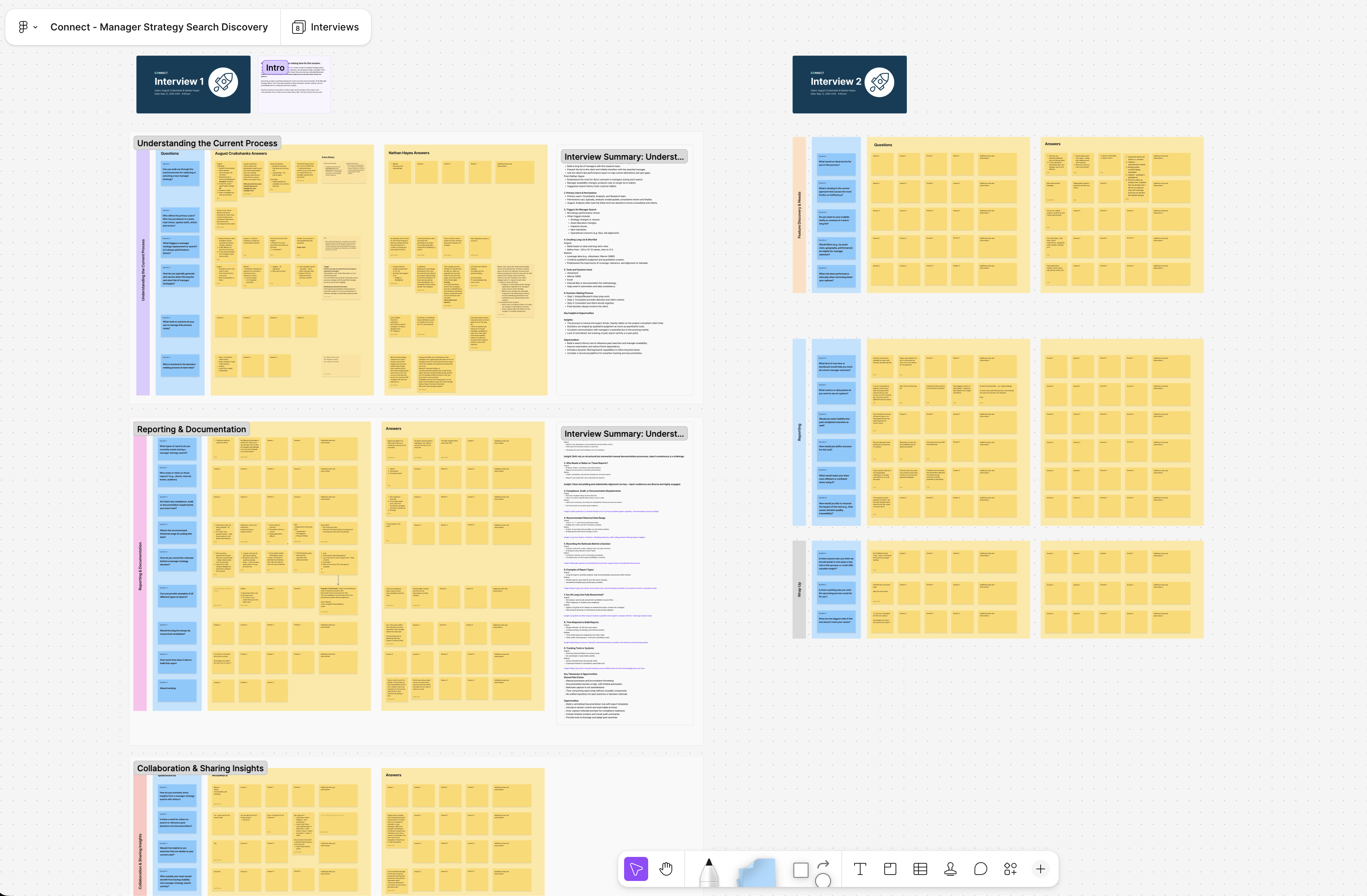
User journey mapping session with the investment team, identifying friction points across the assumption-building workflow.
NEW IMPLEMENTATION
Rapid prototyping with AI to explore and validate directions fast
I used AI-assisted prototyping to dramatically accelerate iteration cycles. Rather than spending days on high-fidelity mockups, I could generate and test multiple layout directions with stakeholders in a single session.
Key design decisions explored in prototyping:
This demo recreates the product using anonymized data and representative workflows. No proprietary client information is displayed.
Information hierarchy
Reorganising the navigation around client plans rather than system modules — matching the mental model of users.
Assumption templates
A template library that lets consultants save, reuse, and version assumption sets — eliminating repetitive setup.
Status & provenance
Clear visual indicators showing which assumption version is active and when it was last modified — building confidence in outputs.
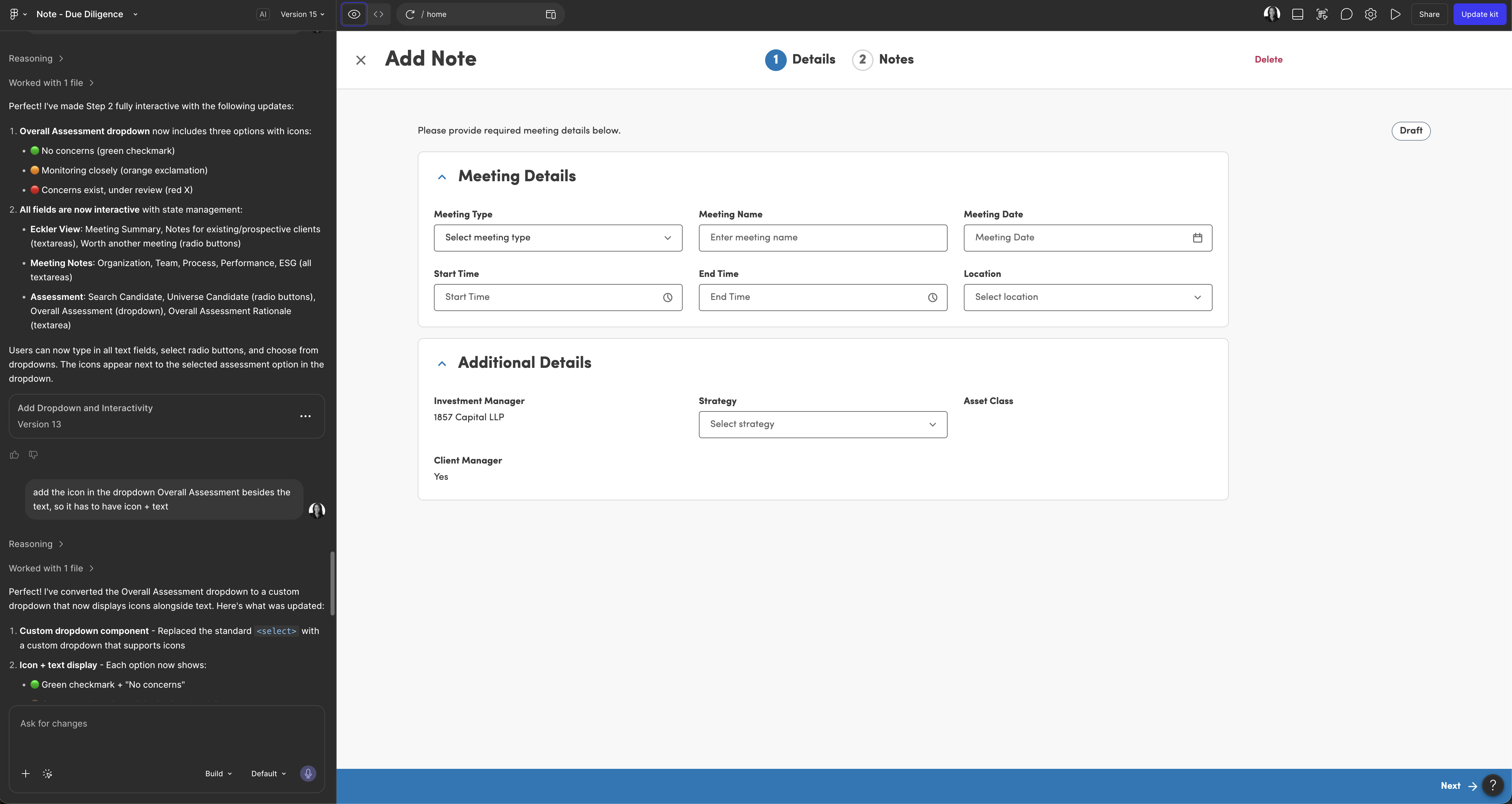
Early prototype iterations exploring a client-centric navigation model.
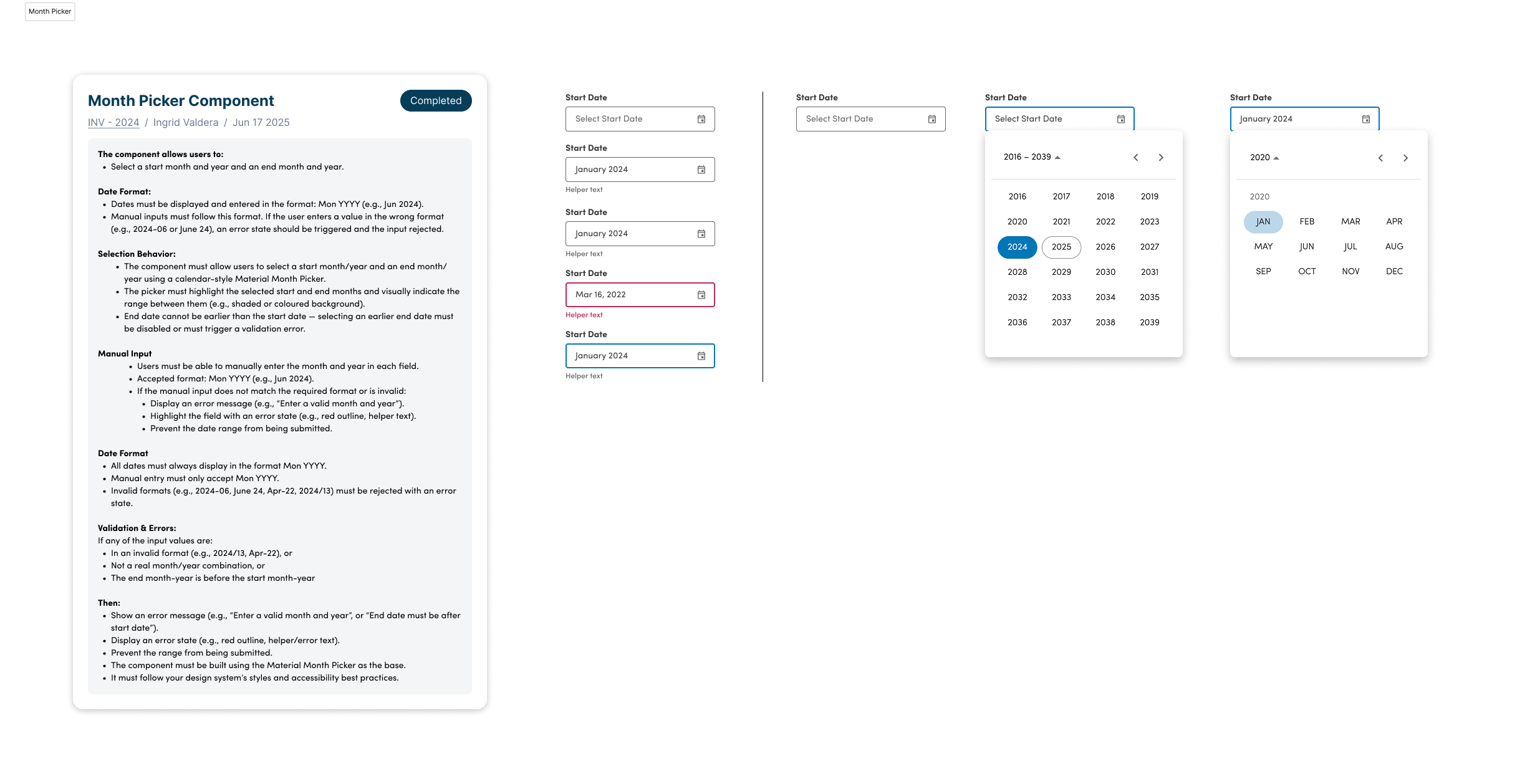
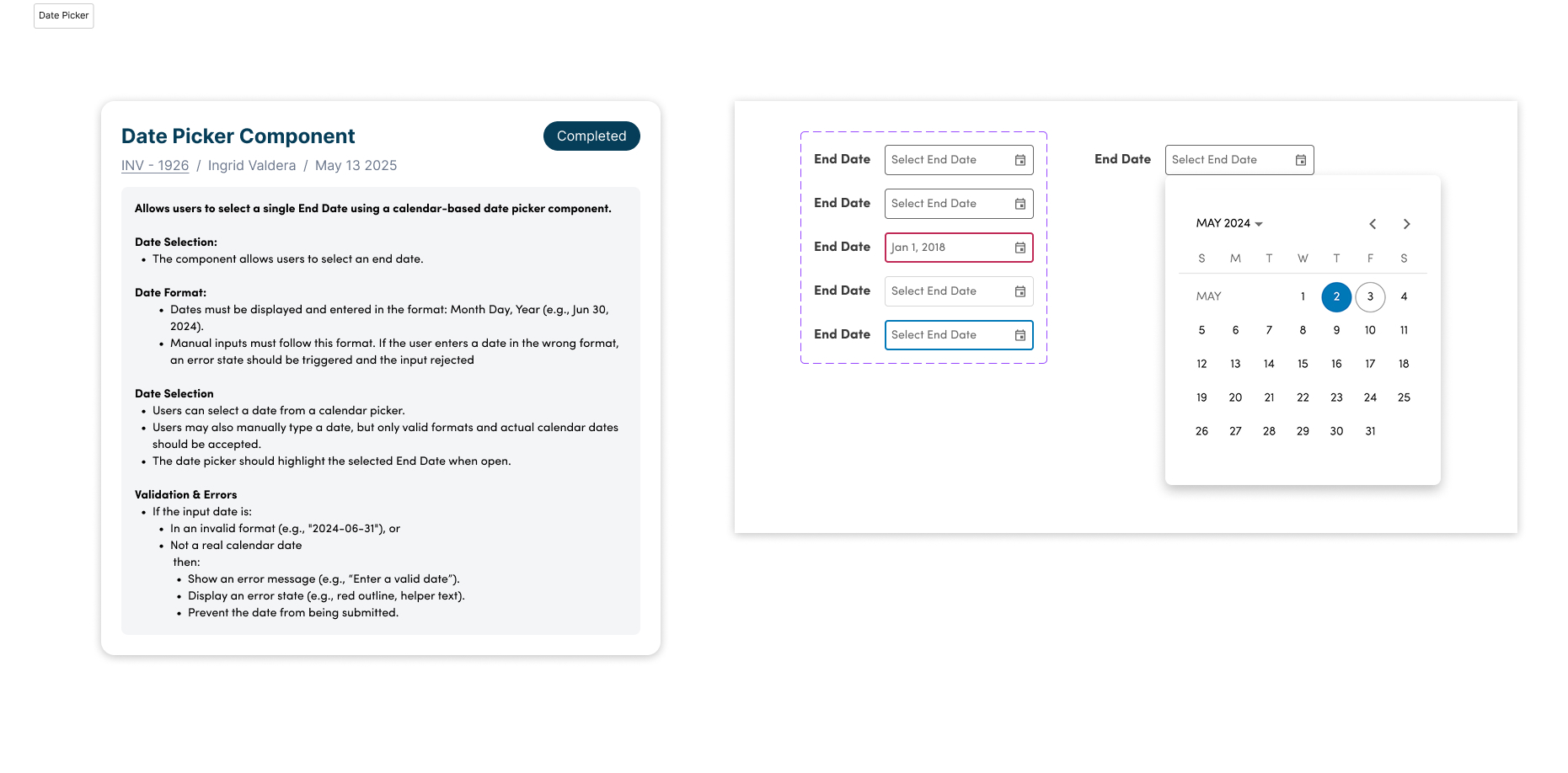
Concept of reusable components and adding new components to Design System.
UPDATED DESIGN PROCESS
My AI-Assisted Product Design Workflow
How I move from ambiguity to shipped products by combining research, collaboration, AI, and product thinking.
Every project starts by understanding the business, users, technical constraints, and product goals.
Activities
- Stakeholder interviews
- Product kickoff
- User research
- Journey mapping
- Competitive analysis
Outputs
- Research summary
- Problem statement
- Opportunities
Tools
Collaborators
I rapidly explore multiple solutions using AI-assisted ideation before investing time into high-fidelity design.
Activities
- Brainstorming
- User flows
- Information architecture
- Wireframes
- AI exploration
Outputs
- Concept directions
- Early prototypes
- User flows
Tools
Ideas are only valuable if they work for users, business, and engineering.
Activities
- Workshop facilitation
- Stakeholder reviews
- Engineering reviews
- Accessibility reviews
- Iteration
Outputs
- Validated direction
- Technical constraints
- Prioritized solution
Collaborators
Once the direction is validated, I design polished, scalable experiences ready for implementation.
Activities
- High-fidelity UI
- Interaction design
- Component creation
- Design Systems
- Prototypes
Outputs
- Production-ready designs
- Prototype
- Documentation
Tools
I document everything needed so the team can move confidently from design to development.
Activities
- Component documentation
- Specifications
- Edge cases
- Annotations
- Acceptance criteria
Outputs
- Design documentation
- Updated Design System
- Implementation guidelines
Tools
Design doesn't end at handoff. I stay involved through implementation to ensure quality.
Activities
- Developer handoff
- Design QA
- Bug reviews
- Iteration
- Launch support
Outputs
- Shipped feature
- Quality improvements
- Continuous iteration
Collaborators
Design is never linear.
While these stages provide structure, every project is iterative. I continuously move between research, exploration, validation, and delivery to create solutions that work for users, business, and engineering alike.
Final Solution
A more confident, faster way to model investment assumptions
The redesigned Connect experience reduced the steps required for core workflows while preserving the depth that expert users depend on. Key improvements shipped:
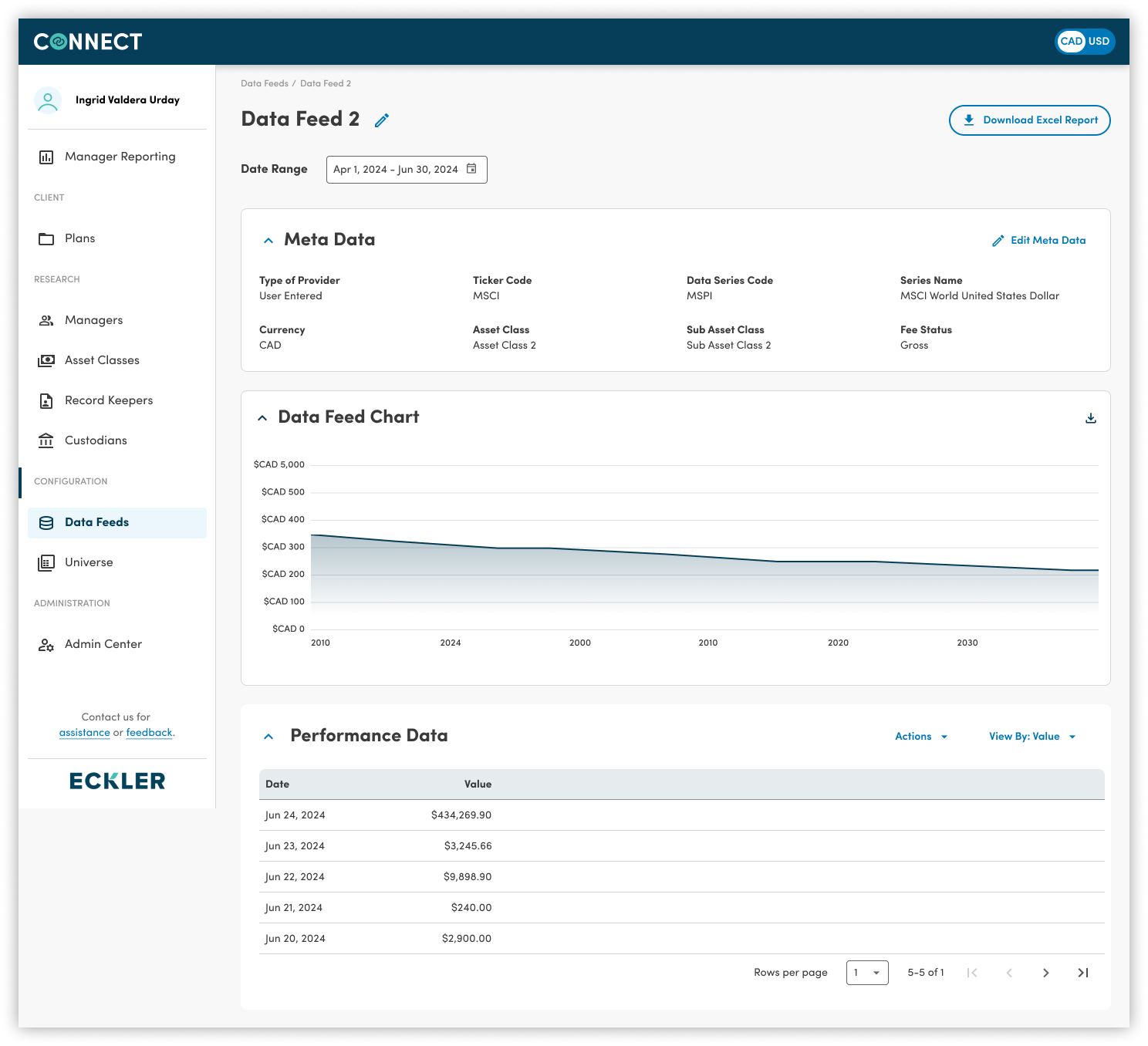
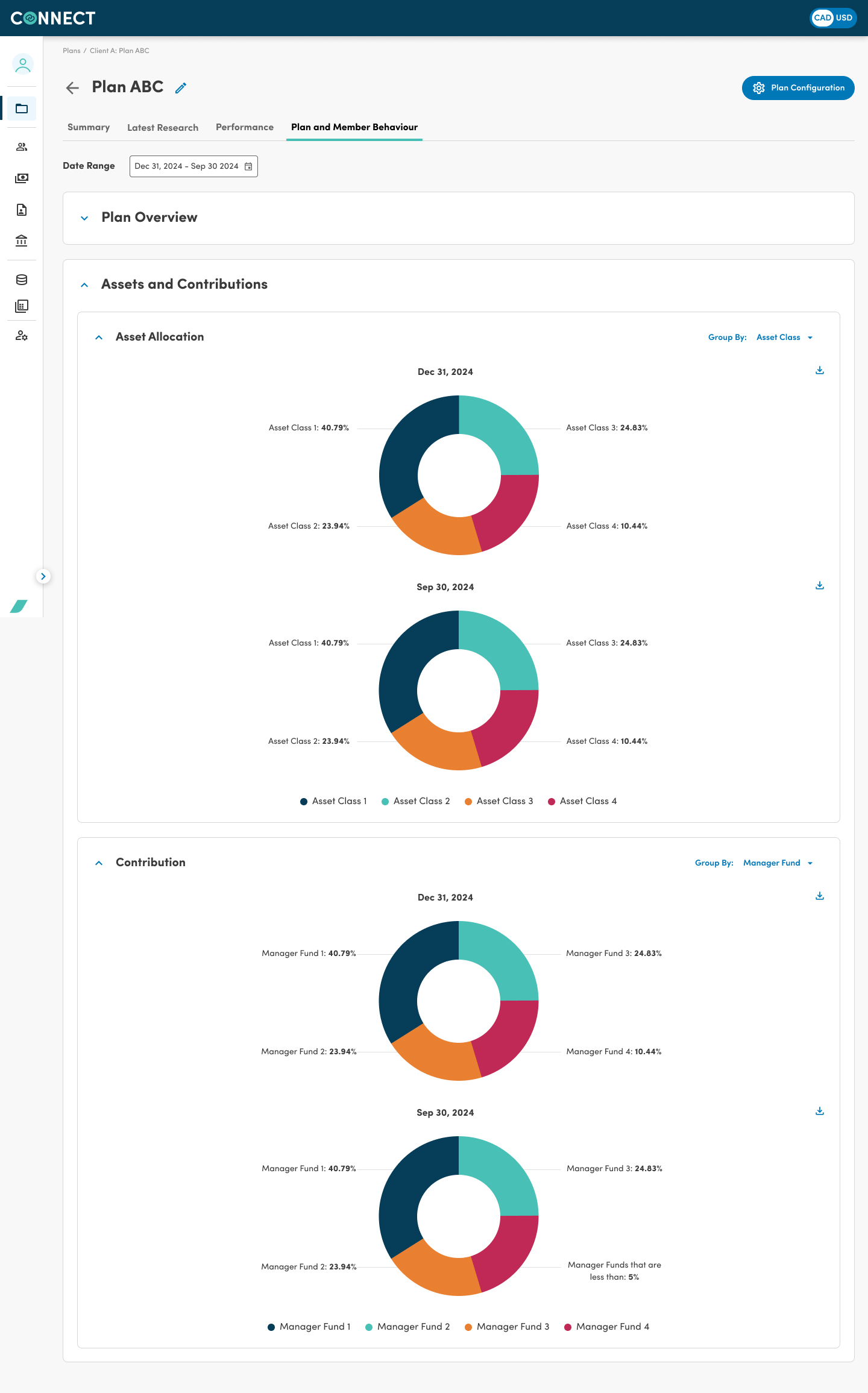
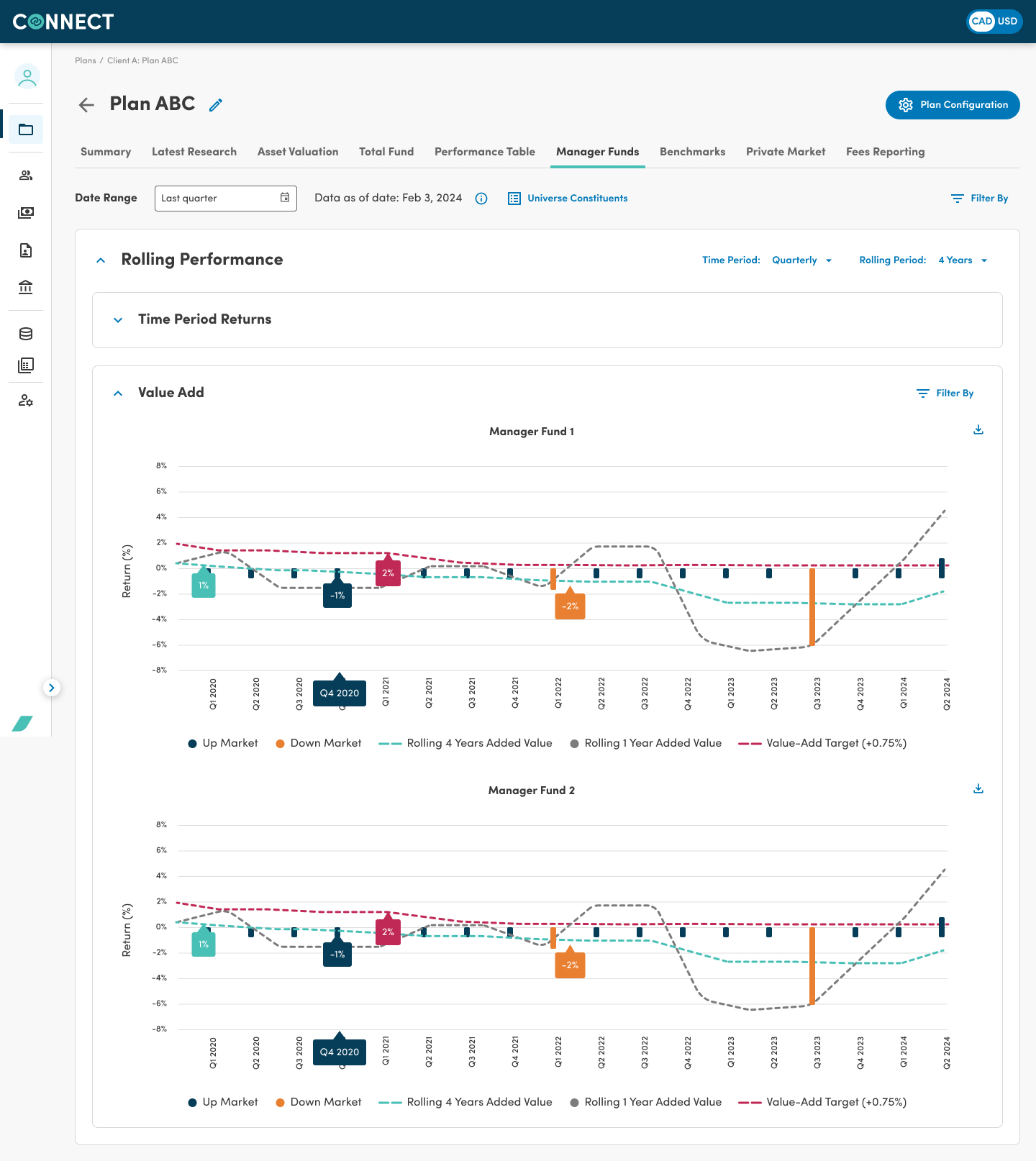
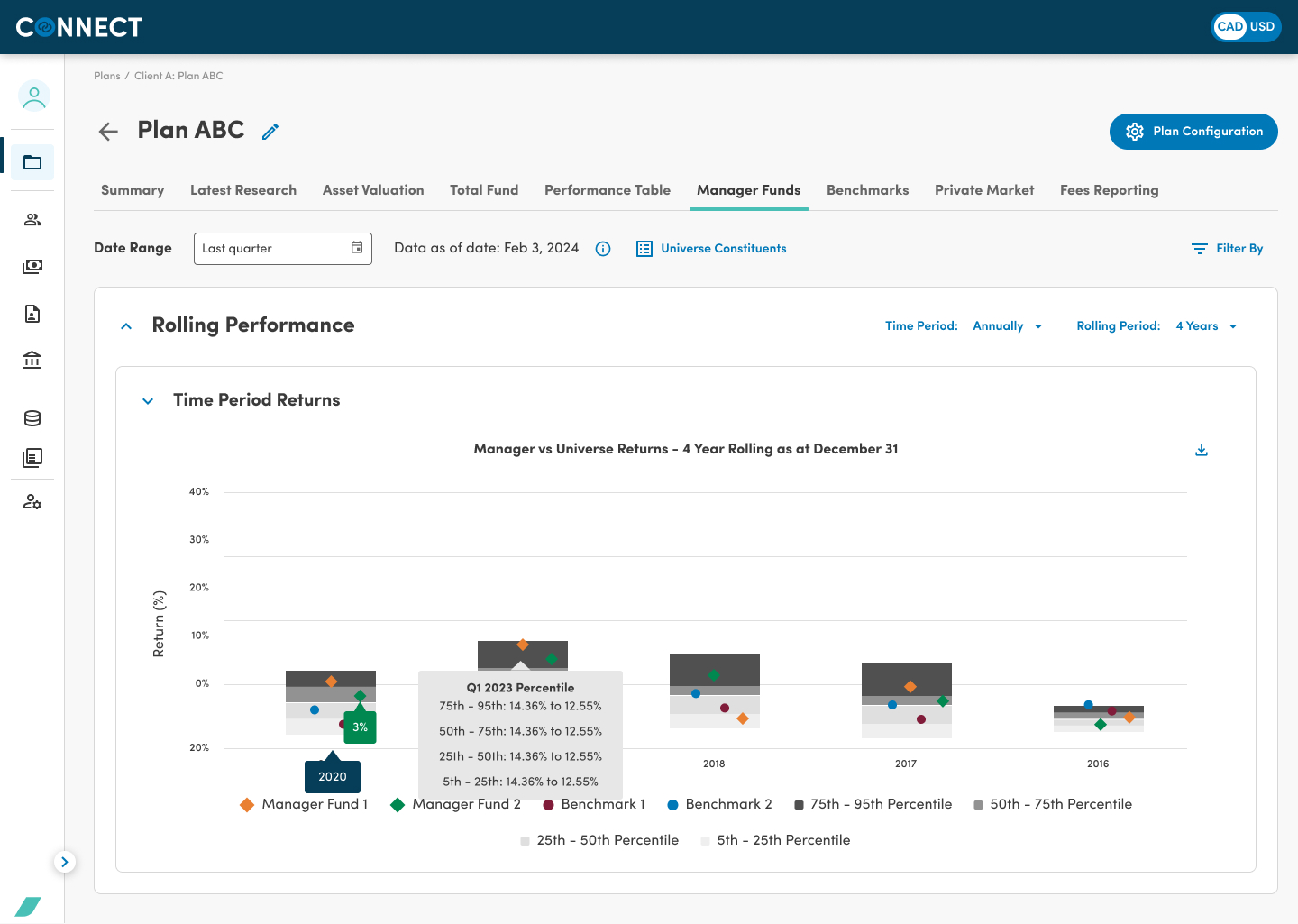
The updated Connect interface — reorganised around client plans with clear assumption status indicators.
Next Steps & Learnings
What I took away
Domain depth is a design asset
The more I understood pension finance, the better my design decisions became. Investing time in domain learning — not just user research — unlocked solutions that felt native to the work.
AI prototyping changed the tempo
Using AI to generate prototype variations cut iteration time dramatically. Stakeholders could react to real options instead of abstract descriptions — decisions happened faster and with more confidence.
Test with the real users, not proxies
Early rounds of testing with product managers rather than actual actuaries led us down a wrong path. Getting in front of real users sooner would have saved two sprint cycles.
Great products
don't happen by accident.
Let's build one together.
Whether you're hiring, building, or simply exchanging ideas, my inbox is always open.